
Email communication and everything you need to know about it.
- By zemimk
- In Инфо
- With No Comments
- Tagged with all about e-mail addresses e-mail address mk e-mail
- On 25 Apr | '2026

Email is not only one of the oldest methods of online communication; it remains one of the most in-demand channels for electronic communication today and continues to evolve. Email is a popular way to promote your business and the easiest way for your clients and partners to connect with you, or simply to exchange information.
Hosting services from Zemi.mk allow you to create email addresses with your own domain. For example, if your domain is mojotubavsajt.mk, you can create an email address such as [moeime@mojotubavsajt.mk](mailto:moeime@mojotubavsajt.mk).
What are the benefits of an email address with your own domain?
- With this type of email address, your clients can find you more easily and contact you at any time.
- You will have access to your email from anywhere, at any time, and from any device.
- In addition to accessing your email through a browser, you can also access it through an email client on a desktop computer or smartphone.
- An email address with your own domain adds credibility and trust among your clients, partners, and everyone you communicate with by email.
- Your email address will be recognizable and easy to remember.
- You will have full control over your email service.
- You can create an unlimited number of email addresses that include the name of your website or company.
How to create an email address with your own domain?
First, log in to the control panel using the login details sent to you in the welcome email. The login link is vasiotdomen.mk/cpanel.
After logging in, from the list of cPanel tools, select “Email Accounts”.

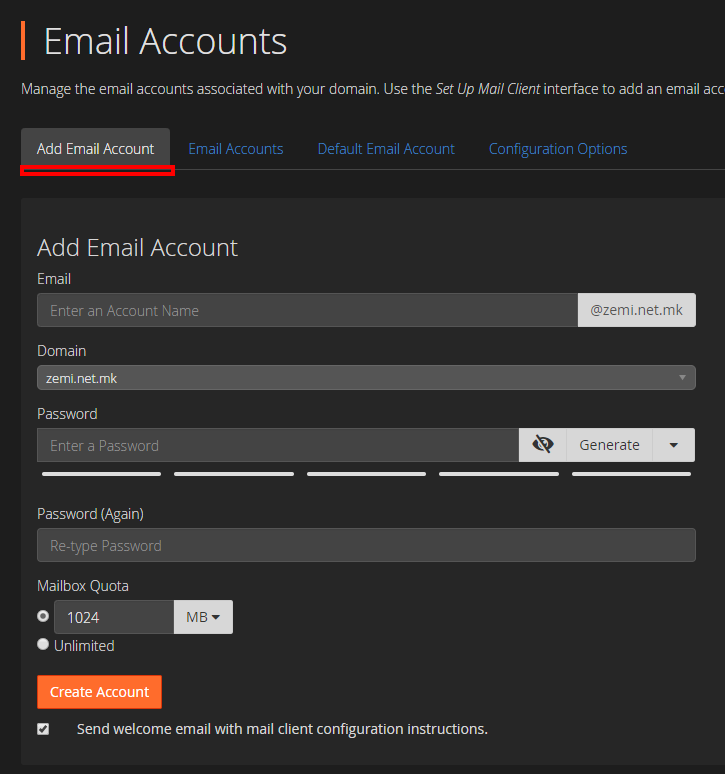
Then click the “Add Email Account” tab and fill in the fields to create a new email address with your domain. “Mailbox Quota” allows you to limit the size of the mailbox. Enter the amount of storage space you want to assign to this email address, or select “Unlimited” for an unlimited mailbox size.
How to check your email through a browser?
If your domain is mojdomen.mk, go to mojdomen.mk/webmail, enter your email address and the password you set during creation, and access your mailbox.
How to set up your email address in an email client such as Microsoft Outlook, other desktop clients, or smartphone email apps?
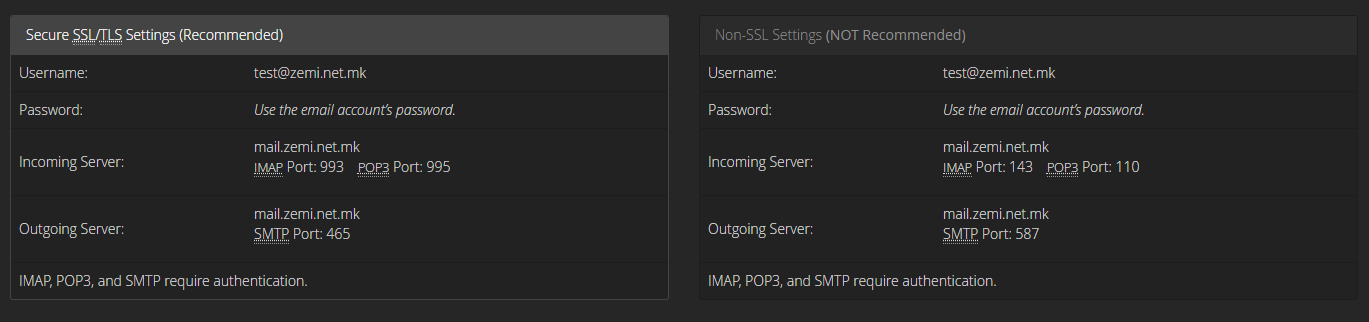
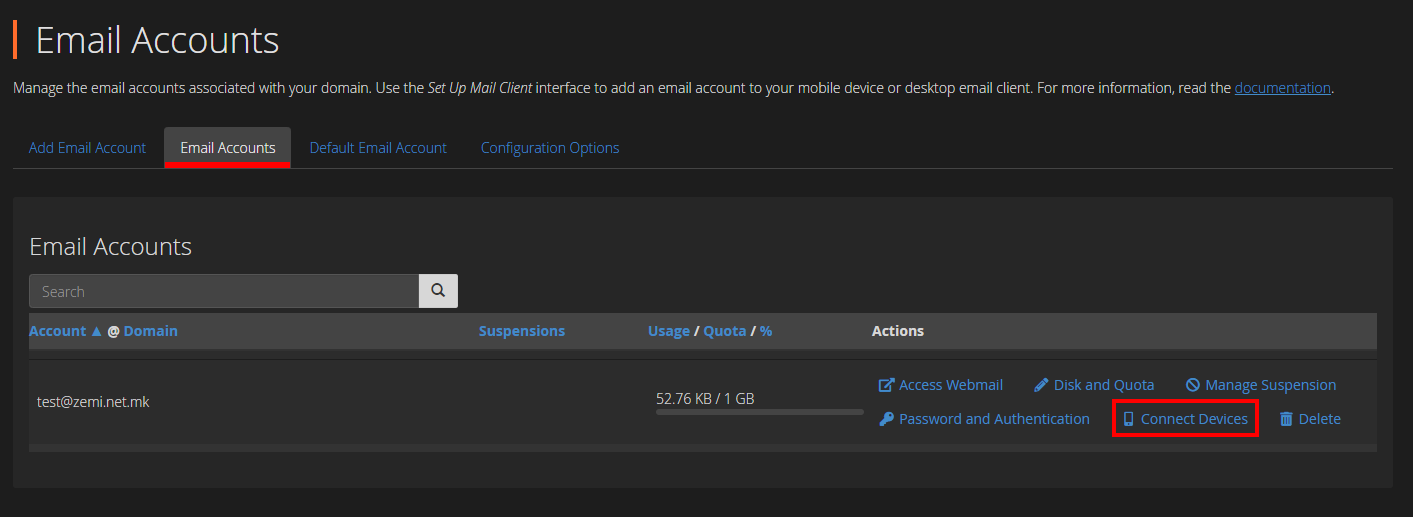
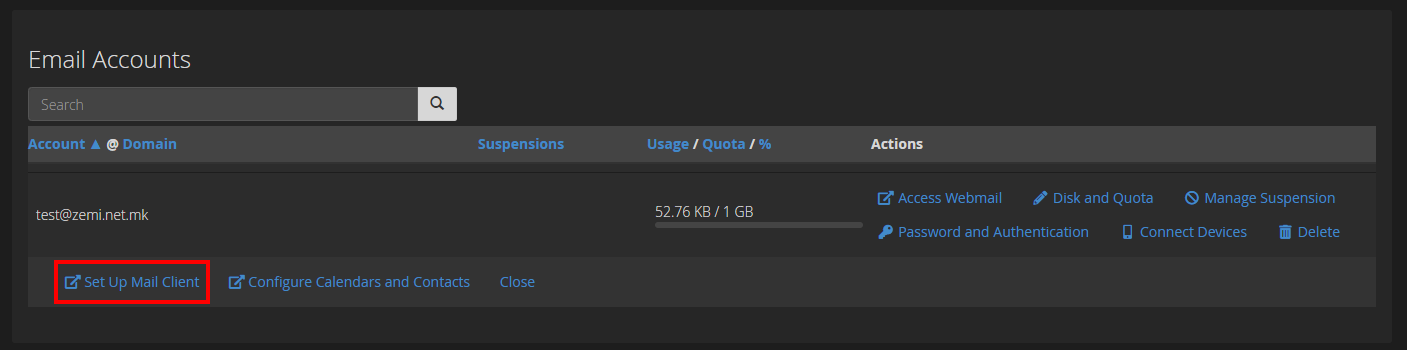
To set up your email address in an email client, you need the Incoming and Outgoing mail servers. To view them, go to the “Mail Accounts” tool in cPanel. From there, for the desired email address, click “Connect Devices”, then click “Set Up Mail Client”.
Here you can view your IMAP Incoming servers, as well as your SMTP Outgoing servers. Our recommendation is to always use the IMAP protocol.