



Is your WordPress website loading slowly? Speed it up with Redis caching, plus additional simple tips.
- By zemimk |
- In WordPress Инфо |
- With No Comments
- Tagged with mk wordpress hosting speed up wordpress wordpress cache |
- On 25 Apr | '2026
Additionally optimize your WordPress website with Redis caching.
Before you start activating Redis caching, go to the Select PHP Version tool in cPanel and make sure the Redis and Memcached extensions are enabled.
To begin, log in to cPanel, open the Redis tool, and click “Start”. Once started, a port and password will be generated for you.
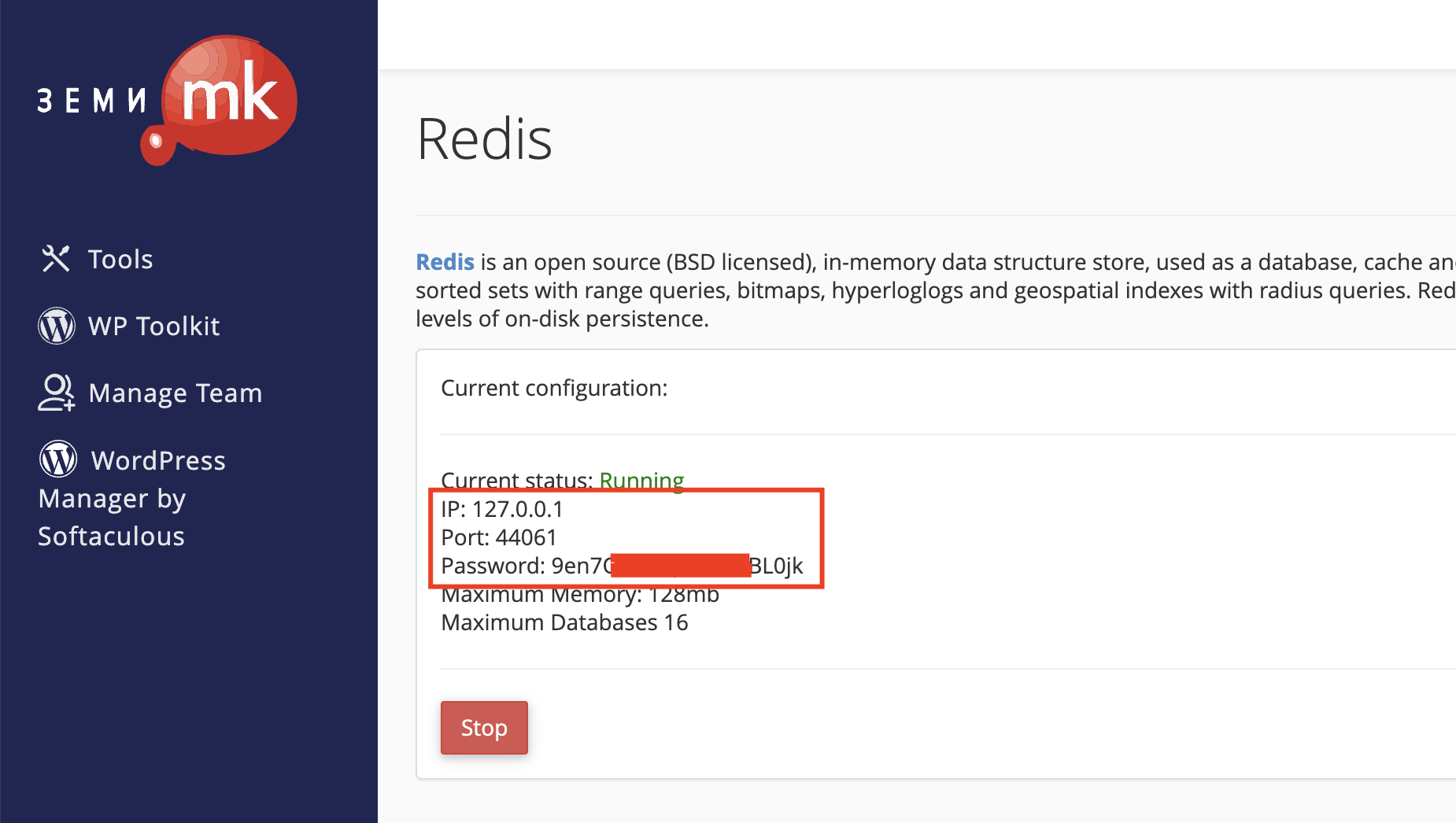
After you receive these details, open your WordPress dashboard and, if you have not already done so, install the LiteSpeed Cache plugin. ([https://wordpress.org/plugins/litespeed-cache/](https://wordpress.org/plugins/litespeed-cache/))
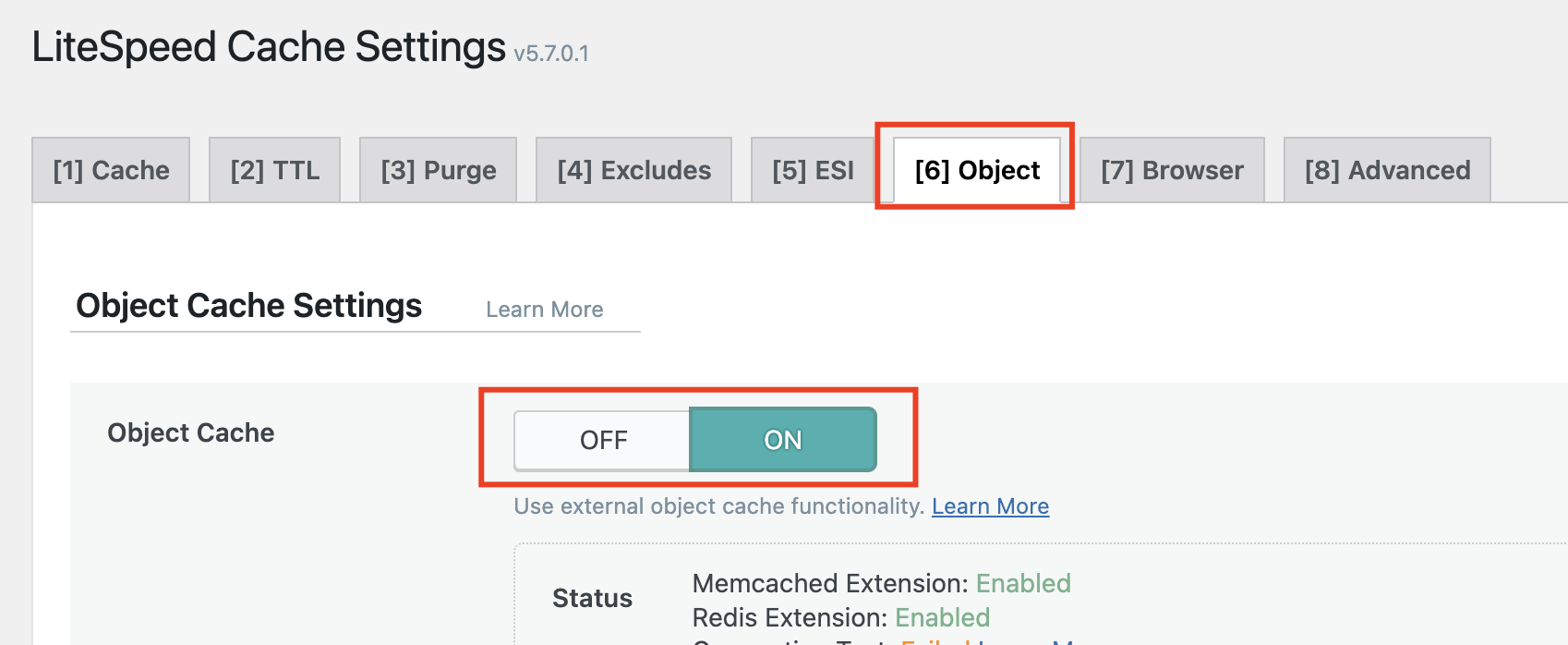
After installing the LiteSpeed Cache plugin, open its settings, go to the Object tab, and click ON to enable it.
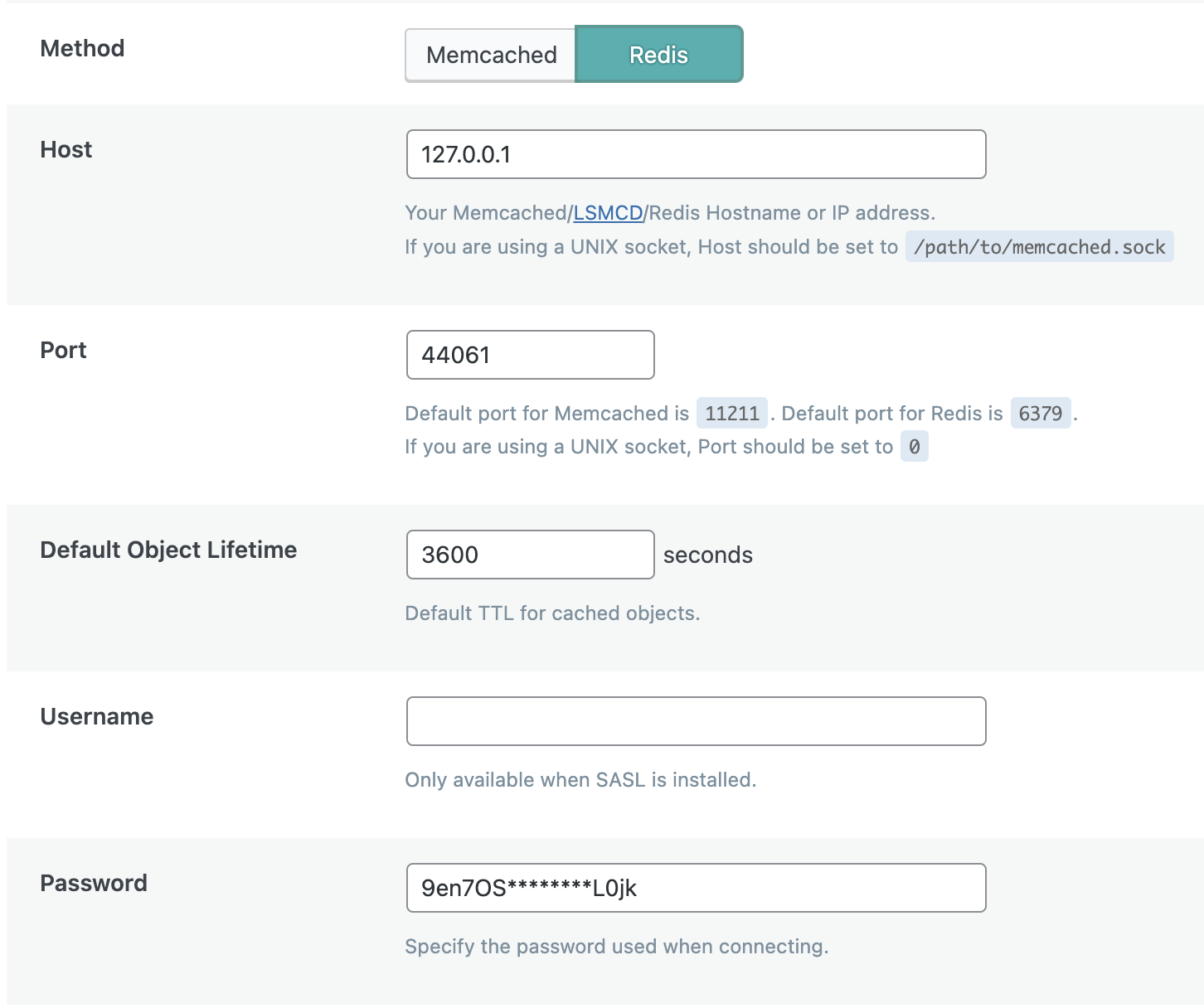
In the settings, choose Memcached or Redis — in our case, Redis — and enter the details you received earlier. Leave the Username field empty and click “Save changes”.
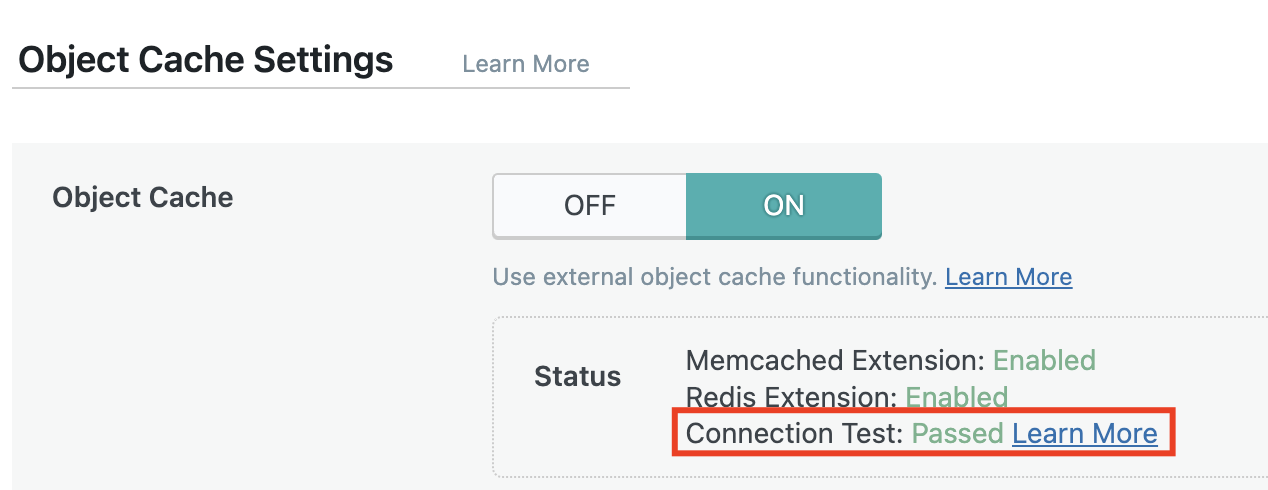
If the setup is successful, the “Connection test” section will show “Passed”.
Optimizing a WordPress website requires technical knowledge. However, below are several additional simple tips you can follow even without your web developer.
Once you have configured Redis or Memcached caching, proceed with removing unnecessary plugins. A large number of plugins can significantly slow down the loading of any WordPress website. Plugins such as UsageDD and Plugins Garbage Collector can help you identify problematic plugins and processes.
Enable CloudFlare for your website. You can read how to activate CloudFlare in the following post: [https://zemi.mk/blog/kako-da-aktiviram-cloudflare/](https://zemi.mk/blog/kako-da-aktiviram-cloudflare/)
Activate Gzip Compression. You can do this through the Optimize Website tool in cPanel or by adding the following rules to your .htaccess file:
<IfModule mod_deflate.c>
# Compress HTML, CSS, JavaScript, Text, XML and fonts
AddOutputFilterByType DEFLATE application/javascript
AddOutputFilterByType DEFLATE application/rss+xml
AddOutputFilterByType DEFLATE application/vnd.ms-fontobject
AddOutputFilterByType DEFLATE application/x-font
AddOutputFilterByType DEFLATE application/x-font-opentype
AddOutputFilterByType DEFLATE application/x-font-otf
AddOutputFilterByType DEFLATE application/x-font-truetype
AddOutputFilterByType DEFLATE application/x-font-ttf
AddOutputFilterByType DEFLATE application/x-javascript
AddOutputFilterByType DEFLATE application/xhtml+xml
AddOutputFilterByType DEFLATE application/xml
AddOutputFilterByType DEFLATE font/opentype
AddOutputFilterByType DEFLATE font/otf
AddOutputFilterByType DEFLATE font/ttf
AddOutputFilterByType DEFLATE image/svg+xml
AddOutputFilterByType DEFLATE image/x-icon
AddOutputFilterByType DEFLATE text/css
AddOutputFilterByType DEFLATE text/html
AddOutputFilterByType DEFLATE text/javascript
AddOutputFilterByType DEFLATE text/plain
AddOutputFilterByType DEFLATE text/xml

# Remove browser bugs (only needed for really old browsers)

BrowserMatch ^Mozilla/4 gzip-only-text/html
BrowserMatch ^Mozilla/4.0[678] no-gzip
BrowserMatch \bMSIE !no-gzip !gzip-only-text/html
Header append Vary User-Agent
<ifModule mod_gzip.c> mod_gzip_on Yes mod_gzip_dechunk Yes mod_gzip_item_include file \.(html?|txt|css|js|php|pl)$ mod_gzip_item_include mime ^application/x-javascript.* mod_gzip_item_include mime ^text/.* mod_gzip_item_exclude rspheader ^Content-Encoding:.*gzip.* mod_gzip_item_exclude mime ^image/.* mod_gzip_item_include handler ^cgi-script$ </ifModule>
Optimize the images on your website. For this, you can use a plugin such as Smush – Optimize, Compress and Lazy Load Images.
Optimize the WordPress database with the WP-Optimize plugin.
Minify JS and CSS files by using the Autoptimize plugin.
To check your website’s performance during the optimization process, you can use services such as:
[https://gtmetrix.com](https://gtmetrix.com) [https://developers.google.com/speed/pagespeed/insights/](https://developers.google.com/speed/pagespeed/insights/) [https://tools.pingdom.com](https://tools.pingdom.com)
Source: