Zemk.mk – Блог

Posts in the wordpress category

Use your discount coupon from our WordCamp Skopje flyer within the next 30 days and get a 90% discount on the new “Tauren WCSK Pro” package, featuring increased LVE limits compared to the standard “Tauren Pro” package.

Each user may use the coupon only once. Any order for a second package using the same coupon will be refunded, and the package will be suspended.

The coupon is intended only for new users. Domains that have already been hosted within the Zemi.mk network cannot be hosted on the “WCSK Pro” package. If it is determined that domains previously hosted on Zemi.mk are being hosted on a newly purchased “WCSK Pro” package, the package will be suspended and the funds refunded.

Zemi.mk reserves the right to disable the coupon if misuse is detected.

At the time of writing this post, and most likely for the years to come, WordPress remains at the top of the list of the most widely used platforms for building websites. It has not earned the title “king” of the web space for nothing. The list of benefits that come with using this CMS — Content Management System — is long. Here are some of them.


  • WordPress is free

WordPress is free software. This means you can freely download it, install it, use it, and modify it to suit your needs. You can use it to create any type of website.

While the WordPress software itself is free, you need a domain and web hosting in order to install it. For this purpose, take a look at our basic hosting packages, which are optimized for WordPress.

A domain is the address of your website on the internet — what your users type into the address bar of their browser to access your website, for example, zemi.mk.

Web hosting, on the other hand, is server space available 24/7, where all the files and databases of your website are stored.


  • WordPress is easy to use

Although it is one of the most flexible and powerful platforms, WordPress is quite easy for beginners to use.

It comes with a simple dashboard with different options listed in the sidebar. You can easily create posts and pages, change the appearance of your website, add navigation menus, and much more.


  • WordPress can be fully adapted to your needs

Most WordPress users are neither web designers nor programmers. In fact, most people start using WordPress without any previous technical background.

WordPress is the perfect solution for beginners because it offers thousands of free themes — ready-made designs for your website — to choose from. There is a perfect WordPress theme for almost every type of website, whether it is a blog, corporate website, or online store.

WordPress themes are easy to customize because many of them come with their own options panel, allowing you to change colors, upload your logo, change the background, create beautiful sliders, and truly adapt the design to your needs without writing any code at all.


  • WordPress is safe to use

WordPress is seriously developed with the security of your website in mind.

However, there are many plugins that can further increase the security of websites built with WordPress, such as Wordfence, Sucuri, and others.

Behind WordPress stands a strong community of thousands of users, developers, and small businesses. As a community, they all ensure that WordPress is here to stay for the long term.

WordPress is a free, open-source content management system (CMS) based on PHP and MySQL. As the most popular platform for building websites, it is subject to a large number of attacks by hackers who try to use your server resources for their own purposes. Most compromised WordPress websites are used for sending spam messages or hosting phishing content, which can lead to servers being blacklisted globally.

Outdated versions of WordPress are increasingly compromised because of known vulnerabilities and bugs. WordPress updates are essential for the security and stability of your website. You should make sure that the WordPress core, plugins, and theme you use are regularly updated and are not pirated. The most common cause of virus-related problems on WordPress is the use of cracked/nulled themes and plugins.

The first step in protecting WordPress is to update it to the latest released version, regularly change login passwords, and delete plugins and themes that you do not use.

To avoid hacking, email abuse, spam, and viruses, follow these rules:

  • Update your WordPress CMS version, themes, and plugins to the latest version in order to protect your websites from known vulnerabilities.
  • Set a strong password for website administrator access and email accounts, and change your password regularly.
  • Do not keep unnecessary files on your hosting account.
  • Avoid having directories or files with 0777 permissions.
  • Scan your local computer with a good antivirus program.
  • In case of viruses, immediately change your email password.
  • Do not save your password in any email client or browser.
  • Scan your local machine, especially the system configured for email, for any malware or viruses.
  • Keep your operating system and antivirus software updated to the latest versions.
  • Change the passwords for cPanel, FTP, email accounts, and similar services.
  • Use FTP only when needed, and then delete the created FTP access accounts.

If your website is hacked, it is recommended that it be completely removed and recreated from scratch using the latest version of WordPress, a valid theme, and valid plugins.

If you do not know whether a specific plugin is good or not, read its reviews or search for comments about it through google.com.

If the server detects the presence of a virus, hacking activity, or spam sending, it may automatically suspend the compromised hosting account as a preventive measure against further unwanted activity.

If your hosting account has been suspended because of a virus, you need to contact us at [[email protected]](mailto:[email protected]) for reactivation.

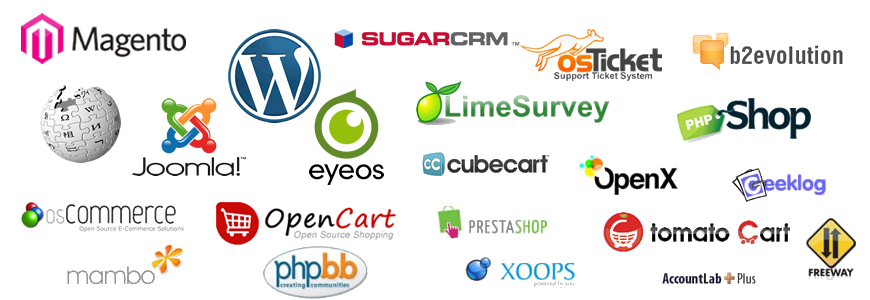
Softaculous auto-installer allows you to install web applications with just one click. A large number of applications are available for simple installation through Softaculous, including portal applications, complete e-commerce solutions, CMS platforms, blogs, forums, and much more. In addition to simplifying the installation of these types of applications on your hosting account, Softaculous also offers the option to create backups, allowing you to back up your installations at any time.

You can view the complete list of web applications available through Softaculous here.

Softaculous is available to all users of Linux shared web hosting purchased from Zemi.mk, and upon customer request, it can also be installed on any dedicated server using a Linux operating system, with an appropriate additional fee.

The most commonly installed web applications through Softaculous are: WordPress, Joomla, phpBB, Magento, PrestaShop, and others.

softaculous_big